


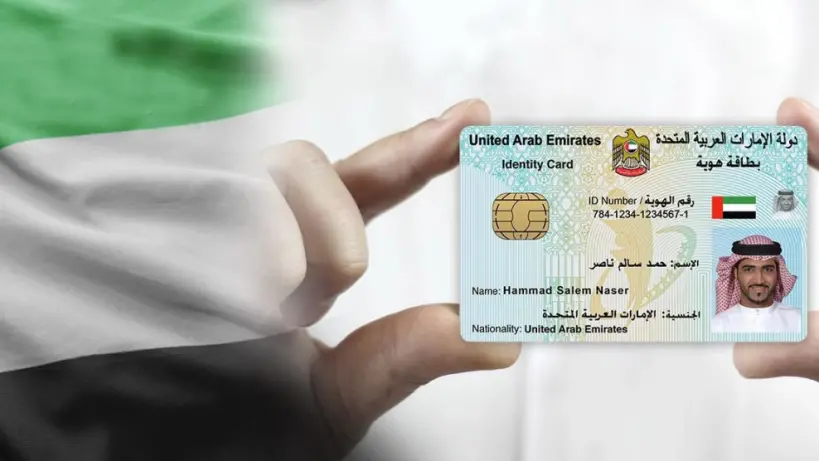
To check the status of your Emirates ID, you’ll need either your Emirates ID Number (IDN) or your Application Number (PRAN), Here’s a straightforward guide on multiple methods to verify the status of your Emirates ID application.
Visit the ICP Website
The official website of Federal Authority for Identity and Citizenship (ICP) is the most often used tool to check your Emirates ID status. This is a generally utilized, simple, effective approach. One should follow these guidelines:
- Visit the ICP’s website.
- Locate the section titled "Emirates ID Application Status."
- Enter either your Application Number (PRAN) or your IDN.
- Click the “Check” button to see your application status.
- Once you’ve completed these steps, the status of your Emirates ID application will appear on the screen. This status report will indicate whether your application has been approved, denied, or is still in progress.
Check Through the ICP Smart Services Portal
The ICP Smart Services website also allows you to confirm your Emirates ID status by means of a "Quick Search" tool, therefore streamlining this process:
- Click this link to visit ICP Smart Services.
- Enter your application number, (PRAN) in the Quick Search box.
- Mark the box for "I am not a robot."
- Press the "Inquiry" button.
- Following these guidelines will show your Emirates ID application's current state on the screen.
ICA Website
If you are more accustomed to the old ICA website, you can still use it to check the progress of your Emirates ID application. The steps are similar:
- Visit the ICA/ICP website here.
- Enter your PRAN, IDN, or application number in the designated “Check Application Status” box.
- Click the “Check” button to view your application status.
UAEICP Mobile App
If you prefer to use your smartphone for convenience, the UAEICP app is available and allows users to check their Emirates ID status. Here’s how:
Download the ICP mobile app from your device’s app store.
Open the app, and choose either UAE Pass login or register with your email.
After logging in, select "Yes" if you already have an Emirates ID, then enter your ID number.
Confirm your details, and submit.
Once registered, you can use the app to check your Emirates ID status, as well as to download digital copies of your ID and UAE visa.
Contacting the Helpline for Emirates ID Status
If you’re not inclined to use online methods or encounter any issues, you can contact the ICP helpline.
Dial 600-522222 from your phone.
Choose your preferred language when prompted.
Speak with an agent and provide your PRAN/IDN number along with other details like your name and date of birth.
The customer service agent will verify your identity and provide an update on your Emirates ID application status.
Checking with Passport Number
If you don’t yet have your Emirates ID or ID number, you can still track your application using your passport details. Here’s how:
Visit the ICP Smart Services website.
In the “Public Services” section, select the “File Validity” option.
Select “Passport Information” as the search criterion.
Enter your passport number, expiry date, nationality, and check the box for “Residency” under “Select the Type.”
Complete the CAPTCHA, and click “Search.”
Your residency status will then appear on the screen, along with your Emirates ID application status if it’s linked to your passport.
Checking with Application Number
For those recently arrived to the UAE without their Emirates ID, the PRAN, or application number shown on the printed application form can also be used. Usually found on the application form you received for your Emirates ID, the PRAN number is marked To find out the state of your application, you can enter this number into any of the described ways.
Using these methodical choices helps you to easily follow your Emirates ID application. Staying current on your application progress is now simpler than ever whether your preferred method of checking online, by app, or over a call.








Comments
Log in to write a comment