


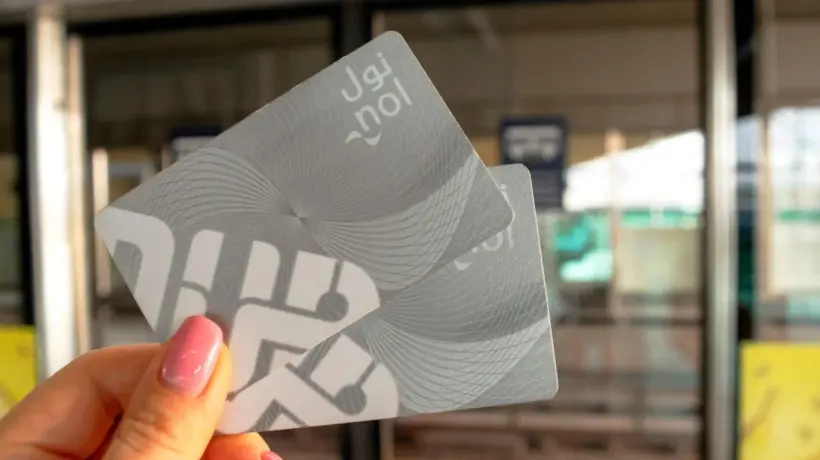
For millions of people living in Dubai as well as visitors, the Roads and Transport Authority (RTA) runs a public transportation system that is a daily necessity, The Nol card, a smart card allowing commuters to pay for the Metro, buses, and trams among other forms of transit, is fundamental to this system. Although many commuters rely on Nol cards every day, occasionally tracking their card balance falls through the gaps in the fast-paced digital world of today.
Minimum Balance Requirement
The RTA urges commuters to keep a minimum Nol card balance of Dh15, enough for a circular ride, therefore guaranteeing a seamless Metro transit network. Running out of balance could cause hassles and maybe fines. Rising from Dh20, the RTA in August set the minimum top-up value for Nol cards at Metro station ticket counters at Dh50. This change does not, however, impact commuters topping up their cards online, so allowing some customer freedom.
Convenient Balance-Checking Options
Dubai's smart city reputation guarantees several options for commuters to check their Nol card balance, Whether via the RTA website, mobile apps, vending machines, SMS, or even specific retail stores, these approaches accommodate varying tastes. Here's a guide on some of the most often used methods to check your Nol card balance:
1. Through the RTA Website
- One of the simplest ways to check your Nol card balance is via the RTA’s official website:
- Visit the website at www.rta.ae.
- On the homepage, select the "Check Nol Balance" option.
- Enter your 10-digit Nol tag ID into the provided box and click "Search."
- Your card balance, pending credit, and expiry date will be displayed. Keep in mind that transactions from the past 48 hours might not be reflected immediately.
2. Using the RTA Dubai App
For those on the move, the RTA Dubai app offers a convenient way to check Nol balances:
- Download the app and log in using your UAE Pass, create an account, or continue as a guest.
- Navigate to the "Services" section and select "Nol."
- Choose "Check your Nol Balance" and enter your 10-digit Nol tag ID, or use the scan feature to check the balance.
- Your balance and card details will appear on the screen.
3. Via the Nol Pay App
Another app-based solution is the Nol Pay app, designed specifically for Nol card users:
- Install the app and log in using your UAE Pass, RTA account, or as a guest by entering your mobile number.
- After verifying your details, navigate to the "Check card info" option.
- You can either manually enter your Nol tag ID or scan your card using the app.
- The app will display your card balance, transaction history, and other information.
4. Additional Methods
Apart from online options, there are other ways to check your Nol card balance:
- Metro Station Vending Machines: These machines allow you to top up and check balances quickly.
- SMS: Some regions support SMS-based balance inquiries.
- Retail Outlets: Certain stores also offer Nol card services, including balance checks and top-ups.
Importance of Monitoring Your Balance
Maintaining an adequate Nol card balance ensures a hassle-free travel experience. Regularly checking your balance is especially important given the increased top-up requirement at Metro stations. By leveraging the digital tools and physical kiosks available, commuters can avoid the inconvenience of insufficient funds or penalties.
The Nol card is a vital tool for navigating Dubai’s comprehensive public transport system, whether you are a daily commuter or an occasional user. With various easy-to-use options for checking balances and topping up, managing your Nol card is straightforward and efficient. By staying aware of your balance and utilizing the available digital resources, you can ensure a seamless journey across Dubai’s state-of-the-art transit network.






Comments
Log in to write a comment